Professionelle E-Mail-Signatur für Marketingmanager: Vorlagen und Tipps
E-Mail-Signatur erstellenEine gut gestaltete Marketing-Signatur ist nicht nur eine Grußformel, sie ist eine kleine Werbefläche für Ihre Marke. Mit dem richtigen, maßgeschneiderten Design können Sie das Vertrauen stärken, im Gedächtnis bleiben und sogar Klicks auf Ihre Angebote generieren. Betrachten Sie sie als einen subtilen Anstoß, der Ihr Unternehmen jedes Mal, wenn Sie auf "Senden" klicken, im Gedächtnis der Empfänger präsent hält.

So erstellen Sie die E-Mail-Signatur fürs Marketing im Jahr 2026
Suchen Sie nach einer einfachen Methode, damit jede E-Mail ihren Zweck erfüllt?
Eine gut durchdachte Marketing-Signatur kann Ihre Professionalität unterstreichen, Vertrauen bei Ihren Kunden aufbauen und es ihnen erleichtern, Sie zu erreichen. Es ist, als würden Sie am Ende jeder Nachricht einen persönlichen Händedruck hinzufügen, professionell, herzlich und einprägsam.
Halten Sie sie übersichtlich, aber nutzen Sie Ihr Branding
Auch im Jahr 2026 setzt sich der Minimalismus durch, aber übertreiben Sie es nicht mit der Schlichtheit. Setzen Sie Ihre Markenfarben, Schriftarten und Ihr Logo dezent ein, damit sich Ihre Signatur wie eine natürliche Erweiterung Ihres Marketings anfühlt. Achten Sie auf übersichtliche Abstände, damit alles auf jedem Gerät gut lesbar ist.

Fügen Sie einen klaren Handlungsaufruf hinzu
Ihre Signatur kann mehr als nur "Auf Wiedersehen" sagen. Fügen Sie einen kurzen, anklickbaren Handlungsaufruf (CTA) hinzu, zum Beispiel "Demo buchen", "Leitfaden herunterladen" oder "Unser aktuelles Angebot ansehen". So verwandeln Sie alltägliche E-Mails in Gelegenheiten zur Lead-Generierung.
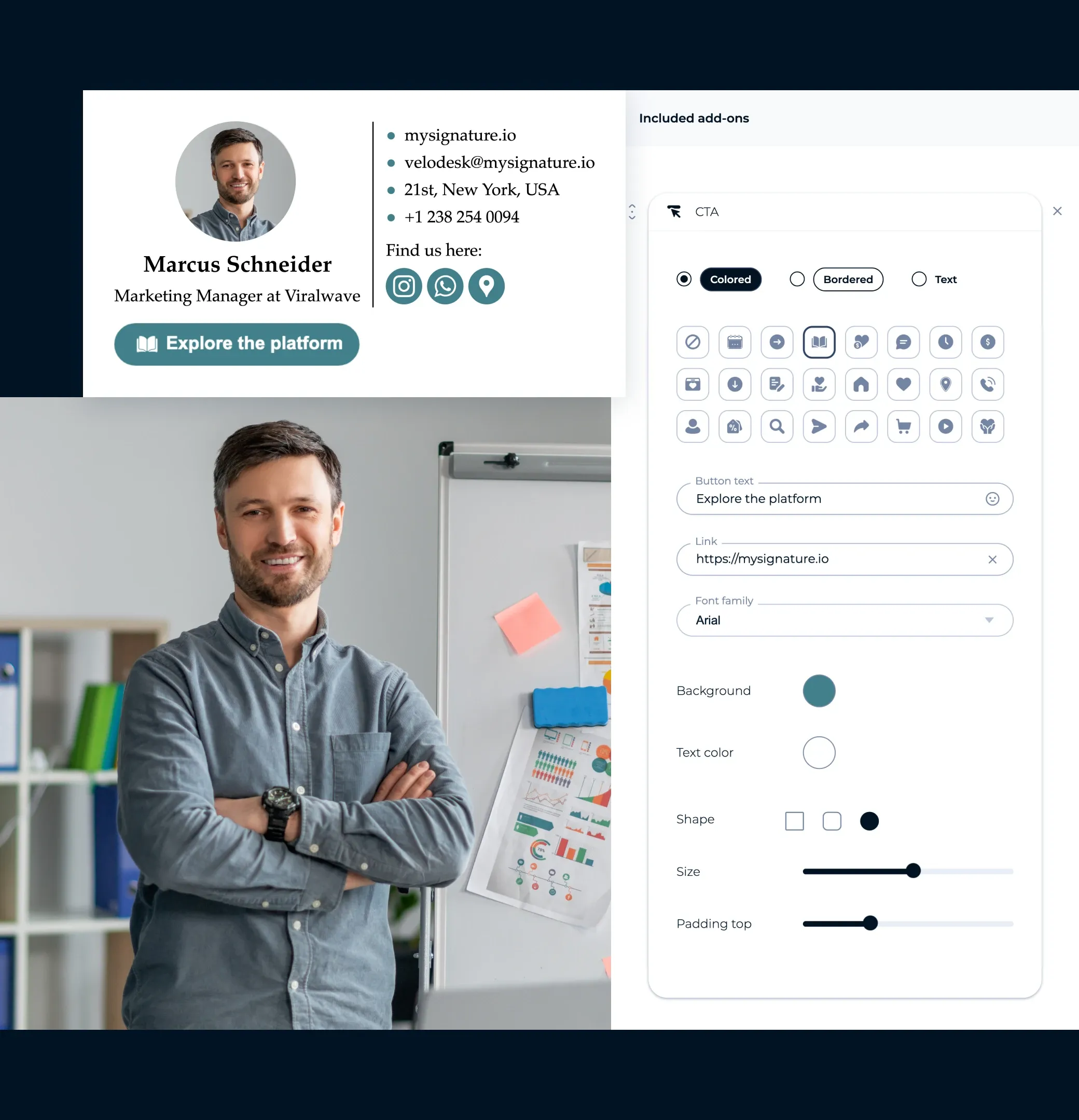
Verwenden Sie ein professionelles Porträtfoto oder eine Markengrafik
Gesichter schaffen eine Verbindung. Ein scharfes, freundliches Foto (oder ein passendes Markenbild) lässt Sie zugänglicher wirken und schafft Vertrauen, besonders bei E-Mails zur Kundenansprache oder im Kundenkontakt.
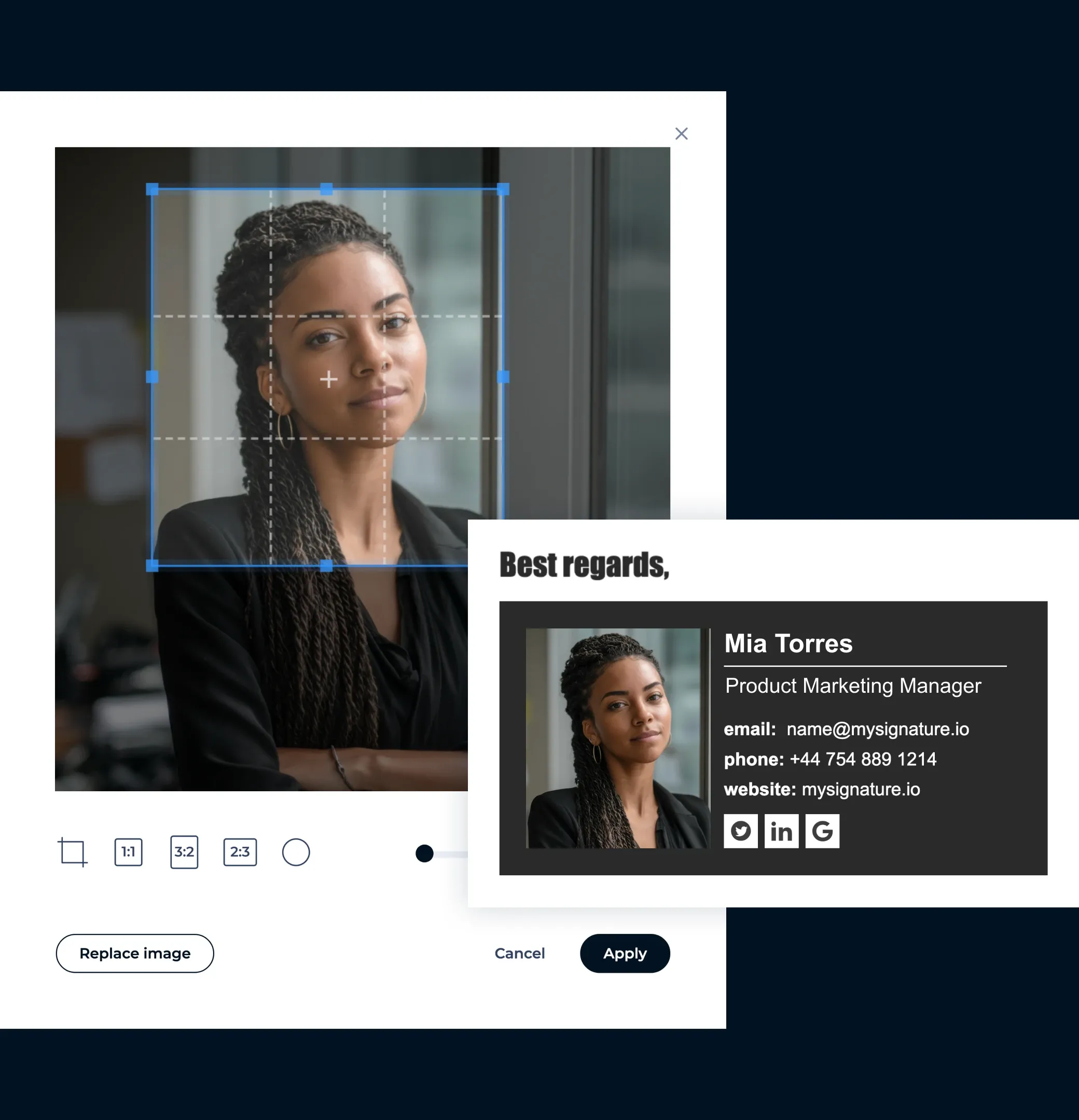
Fügen Sie nur die wichtigsten Links ein
Überladen Sie Ihre Signatur nicht mit allen Ihren Social-Media-Profilen. Konzentrieren Sie sich auf 2 bis 3 wichtige Links, die für Ihr Marketing am relevantesten sind, wie z.B. Ihr LinkedIn-Profil, Ihre Webseite oder die Landingpage Ihrer Kampagne.

Zuerst für Mobilgeräte optimieren
Im Jahr 2026 werden die meisten E-Mails auf Handys geöffnet. Stellen Sie sicher, dass Ihre Signatur auf kleinen Bildschirmen gut aussieht, mit kompaktem Layout, anklickbaren Schaltflächen und gut lesbarem Text, ohne dass man zoomen muss.
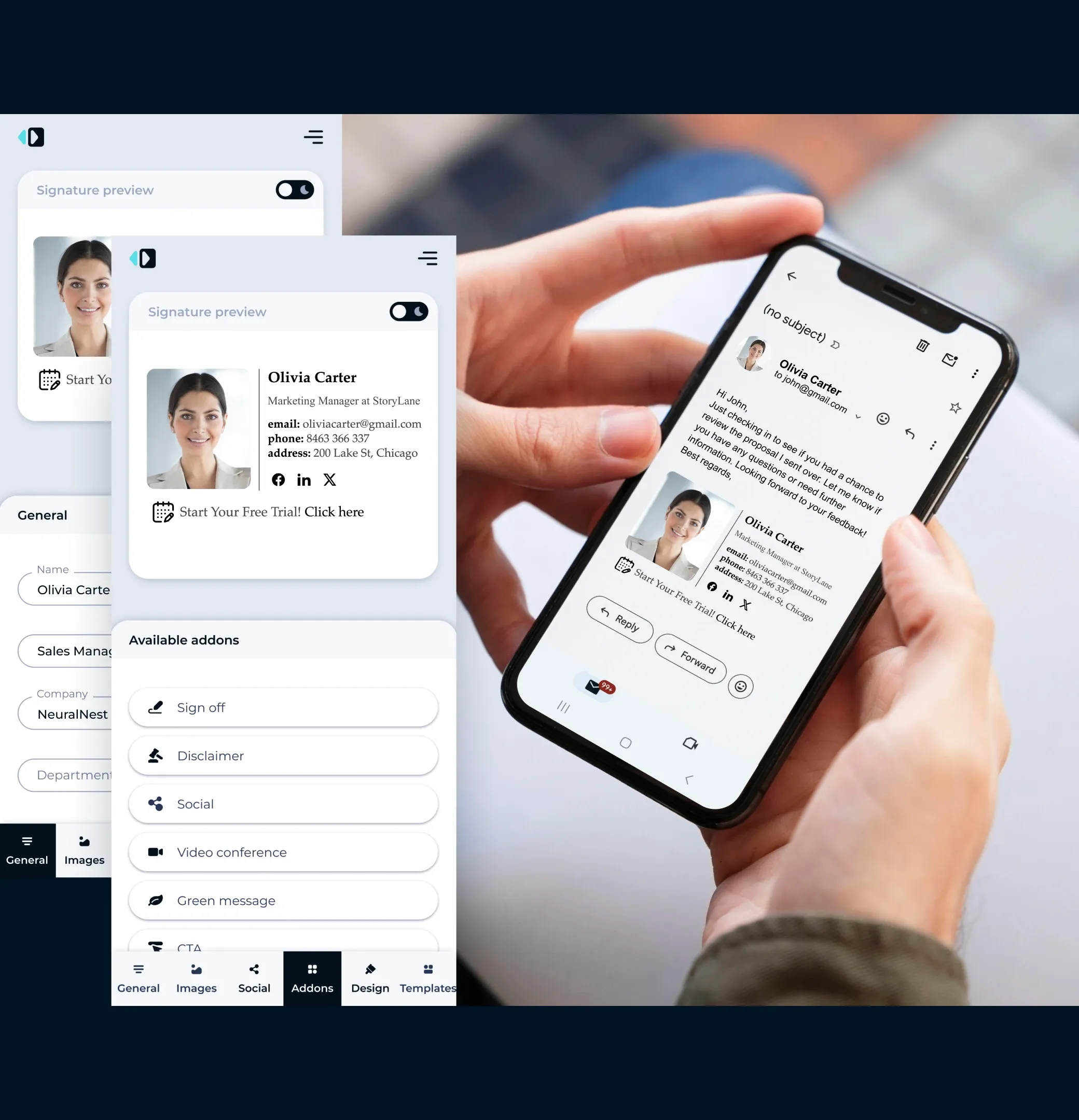
Verlinken Sie zu Ihren Social-Media-Profilen
Fügen Sie anklickbare Symbole für LinkedIn, Twitter oder andere berufliche Plattformen hinzu, um mit Kunden auch außerhalb des Posteingangs zu interagieren.

Verfolgen Sie die Leistung mithilfe von Analysen
Verwenden Sie den Generator von MySignature, mit dem Sie die Klicks auf Ihre Links oder Banner messen können. So können Sie erkennen, was funktioniert, und Ihr Design oder Ihre Angebote anpassen, um bessere Ergebnisse zu erzielen.

E-Mail-Signaturvorlagen für Marketingmanager
Lassen Sie sich von diesen professionell gestalteten Beispielen inspirieren, die alle mit MySignature erstellt wurden und machen Sie die E-Mail-Signatur zu einem Bestandteil der Verkaufsstrategie
Galerie der E-Mail-Signaturvorlagen durchstöbern


E-Mail-Signaturen als Teil Ihrer Kundenerfolgsstrategie
Verwandeln Sie marketingqualifizierte Leads in Demos
Ihre E-Mail-Signatur kann mehr als nur eine Grußformel sein, sie kann Ihr nächstes Meeting vereinbaren. Fügen Sie zu den Signaturen Ihrer Kundenerfolgsmanager eine gut sichtbare Schaltfläche "Demo vereinbaren" hinzu, damit potenzielle Kunden direkt aus ihrem Posteingang heraus aktiv werden können.
Steigern Sie die Anzahl der Webinar-Anmeldungen
Steht eine Veranstaltung an? Bringen Sie sie in jede Konversation ein. Fügen Sie zu Ihrer E-Mail-Signatur ein auffälliges, anklickbares Banner hinzu, das für Ihr Webinar wirbt und direkt auf Ihre Anmeldeseite verweist.
Erhalten Sie mehr Produktbewertungen
Zufriedene Kunden sind oft nur einen Klick davon entfernt, eine großartige Bewertung abzugeben. Fügen Sie zu Ihrer E-Mail-Signatur eine ansprechende Schaltfläche mit der Aufschrift "Teilen Sie uns Ihr Feedback mit" hinzu, um schnelle und mühelose Rückmeldungen zu fördern.

Roman Hotsiak
E-Mail- & SMS-Marketing
Ich habe tolle Erfahrungen damit gemacht. MySignature ist sehr einfach und stark anpassbar! Ich kann ganz einfach eine schöne professionelle Signatur für mein Team erstellen. Vielen Dank an den Support, der mir bei der Einrichtung einer geschäftlichen E-Mail-Signatur geholfen hat.

Mary McGuire
Business Consulting und Coaching
Mir gefällt die Menge an Informationen, die auf dem sonst verschwendeten Platz vermittelt werden kann. Besonders gut gefällt mir das Design und die einfache Handhabung.

KiwiOnTheSticks
Gaming Content Creator
Ich liebe MySignature! Es ist super einfach einzurichten und erlaubt sogar, Canva im Editor zu verwenden! Ich bin begeistert und empfehle es allen, die ihren E-Mails einen sauberen und professionellen Touch verleihen wollen.

João Mino
Übersetzer & Autor
Mir gefallen die gut gestalteten E-Mail-Signaturvorlagen von MySignature! Außerdem gibt mir der Gmail-Tracker die Möglichkeit, E-Mail-Aktivitäten nach dem Versand zu verfolgen. Zum Beispiel, ob der Kunde meine Rechnung erhalten hat oder nicht.


G2 Crowd


Capterra

Product Hunt


Trustpilot

Chrome Web Store
Erstellen Sie in maximal 5 Minuten eine E-Mail-Signaturvorlage fürs Marketing
Erstellen Sie Ihre Buchhalter-SignaturMit dem kostenlosen Signatureditor von MySignature können Sie im Handumdrehen eine professionelle E-Mail-Signatur, digitale Visitenkarten und Links-in-Bio-Seiten erstellen.
Weitere Kategorien von E-Mail-Signaturvorlagen erkunden
Möchten Sie sich weitere Vorlagen anschauen? Hier sind andere Kategorien von modernen E-Mail-Signaturvorlagen, die Sie sich ansehen können.