Professionelle E-Mail-Signatur für Verkaufsmanager: Die besten Vorlagen und Tipps
E-Mail-Signatur erstellenIn E-Mail-Korrespondenzen ist Vertrauen für einen Verkaufsmanager das A und O. Eine ansprechende E-Mail-Signatur stärkt Ihre Glaubwürdigkeit, zeugt von Professionalität und gibt potenziellen Kunden ein sicheres Gefühl im Umgang mit Ihnen.

So erstellen Sie die E-Mail-Signatur für Verkaufsmanager im Jahr 2026
Eine gut gestaltete E-Mail-Signatur für Verkaufsmails lässt Sie professioneller wirken, schafft Vertrauen bei Ihren Kunden und macht es ihnen ganz einfach, Kontakt mit Ihnen aufzunehmen. Stellen Sie sich diese Signatur wie einen freundlichen Händedruck am Ende jeder E-Mail vor, professionell, herzlich und einprägsam.
Halten Sie sie übersichtlich, aber im Einklang mit dem Branding
Auch im Jahr 2026 sind schlichte Designs ganz vorne, aber gestalten Sie sie nicht zu schlicht. Setzen Sie Ihre Markenfarben, Schriftarten und Ihr Logo dezent ein, damit sich Ihre Signatur nahtlos in Ihr Gesamtmarketing einfügt. Achten Sie auf ausreichende Abstände, damit alles auf jedem Gerät gut lesbar ist.

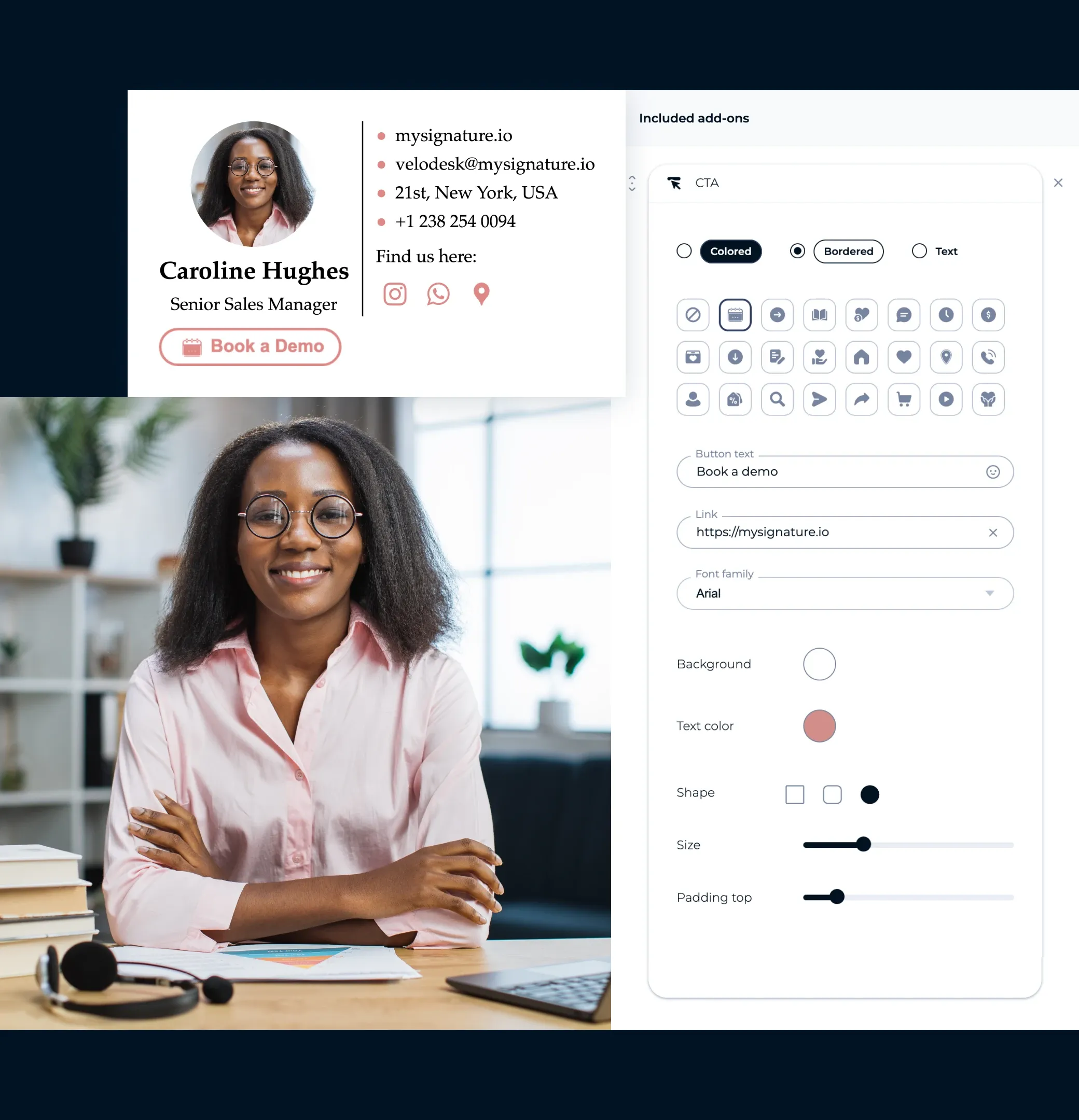
Fügen Sie einen klaren Handlungsaufruf hinzu
Ihre Signatur kann mehr als nur eine Grußformel sein. Fügen Sie eine kurze, anklickbare Schaltfläche wie "Demo buchen" oder "Kostenlose Testphase starten" hinzu, um alltägliche E-Mails in Verkaufschancen zu verwandeln.
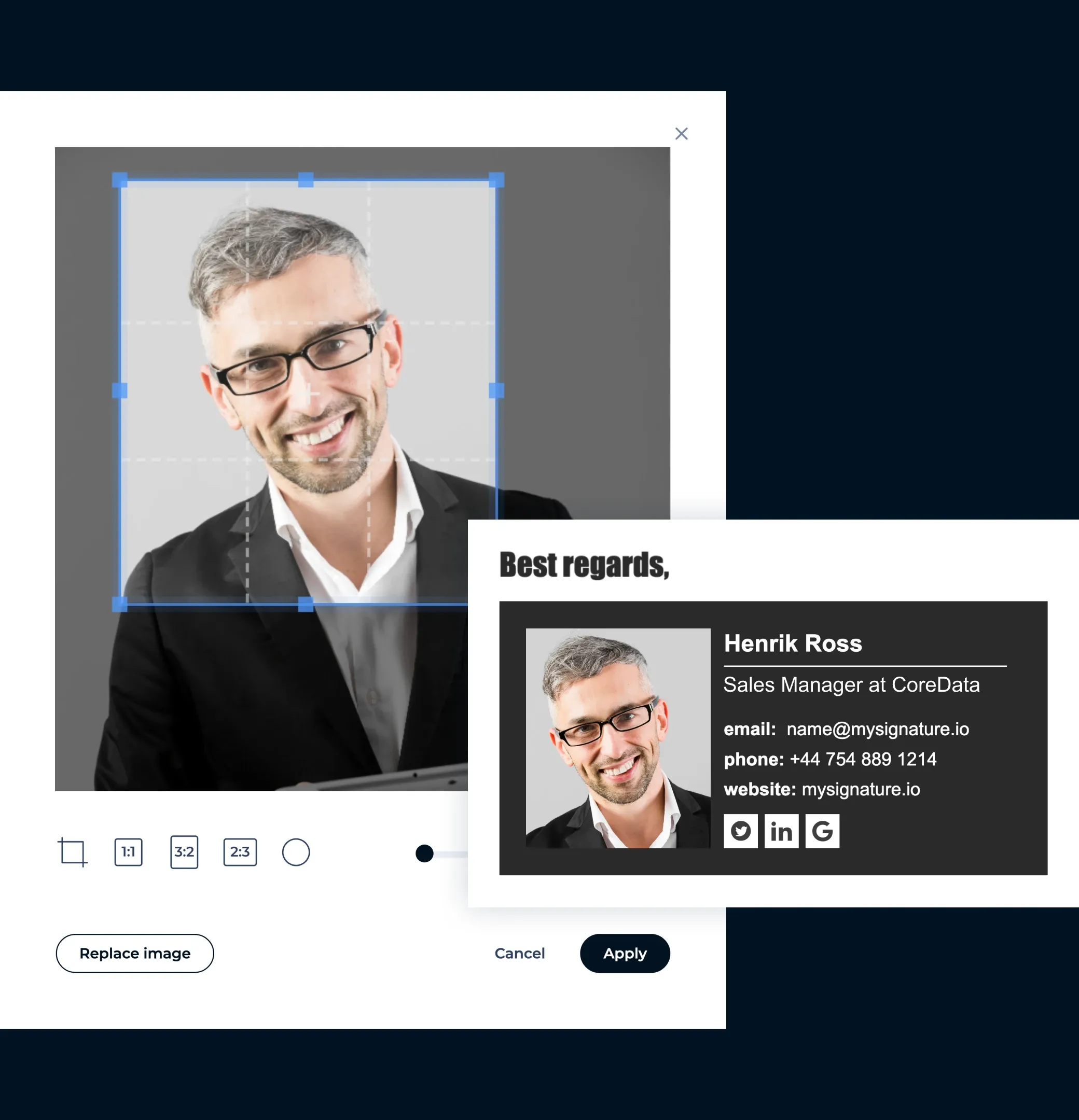
Verwenden Sie ein sympathisches Foto oder ein Markenbild
Menschen knüpfen Kontakte zu anderen Menschen. Ein klares, einladendes Porträtfoto, oder eine aussagekräftige Markengrafik, kann Sie zugänglicher und vertrauenswürdiger wirken lassen, besonders nach einer LinkedIn-Verbindung oder in E-Mails an Kunden.
Beschränken Sie sich auf die wichtigsten Links
Fügen Sie nicht alle Ihre Social-Media-Profile ein. Konzentrieren Sie sich auf 2 bis 3 Links, die am wichtigsten sind, wie Ihr LinkedIn-Profil, Ihre Webseite oder einen direkten Link zum Termin vereinbaren.

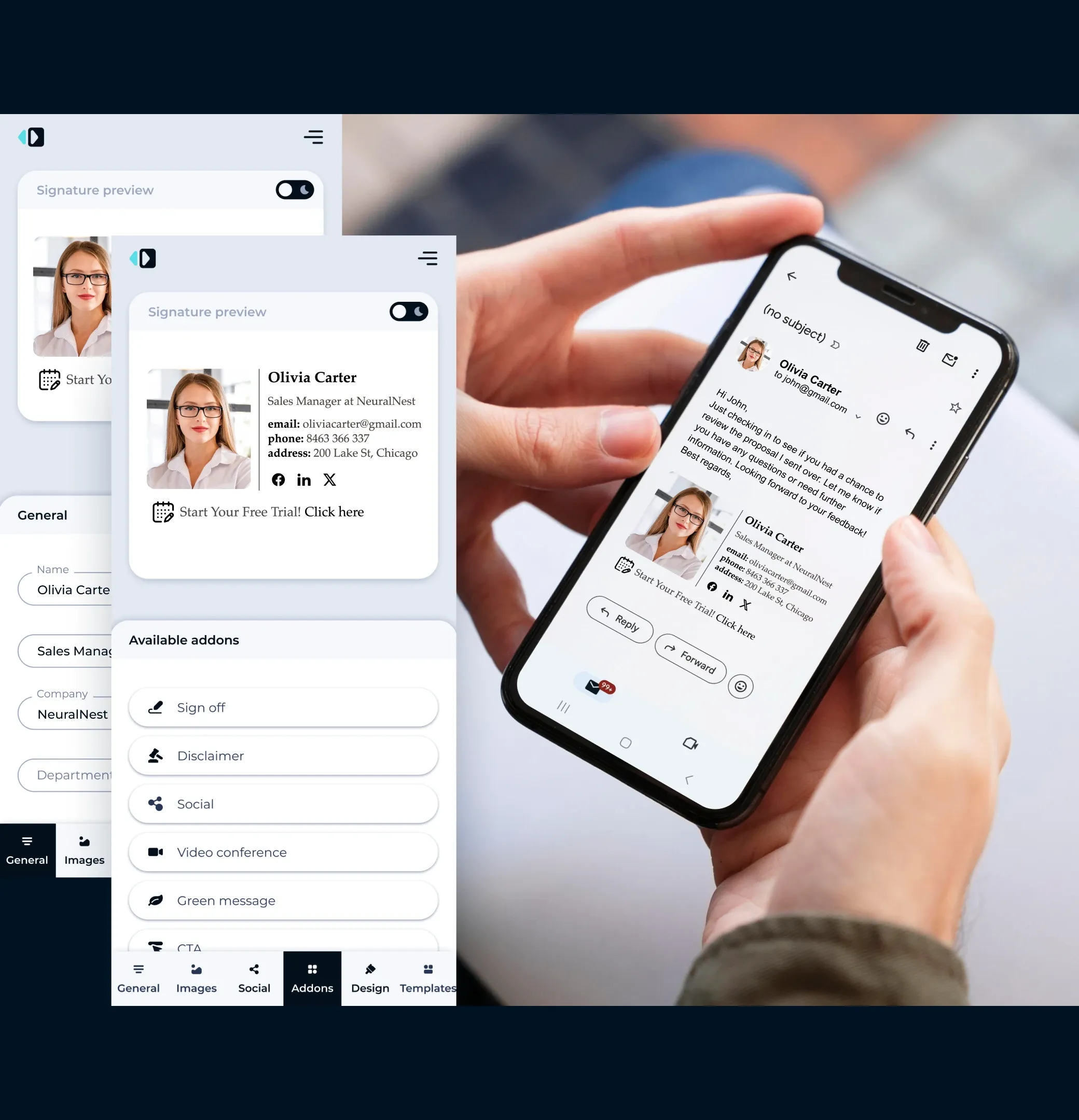
Optimieren Sie sie für Mobilgeräte
Im Jahr 2026 werden die meisten E-Mails auf Handys gelesen. Achten Sie darauf, dass Ihr Layout kompakt ist, die Schaltflächen anklickbar sind und der Text auch ohne Zoomen gut lesbar ist.
Verlinken Sie zu Ihren Social-Media-Profilen
Fügen Sie kleine, anklickbare Symbole für LinkedIn, Twitter oder andere berufliche Netzwerke hinzu, um die Konversation auch außerhalb der E-Mail fortzusetzen.

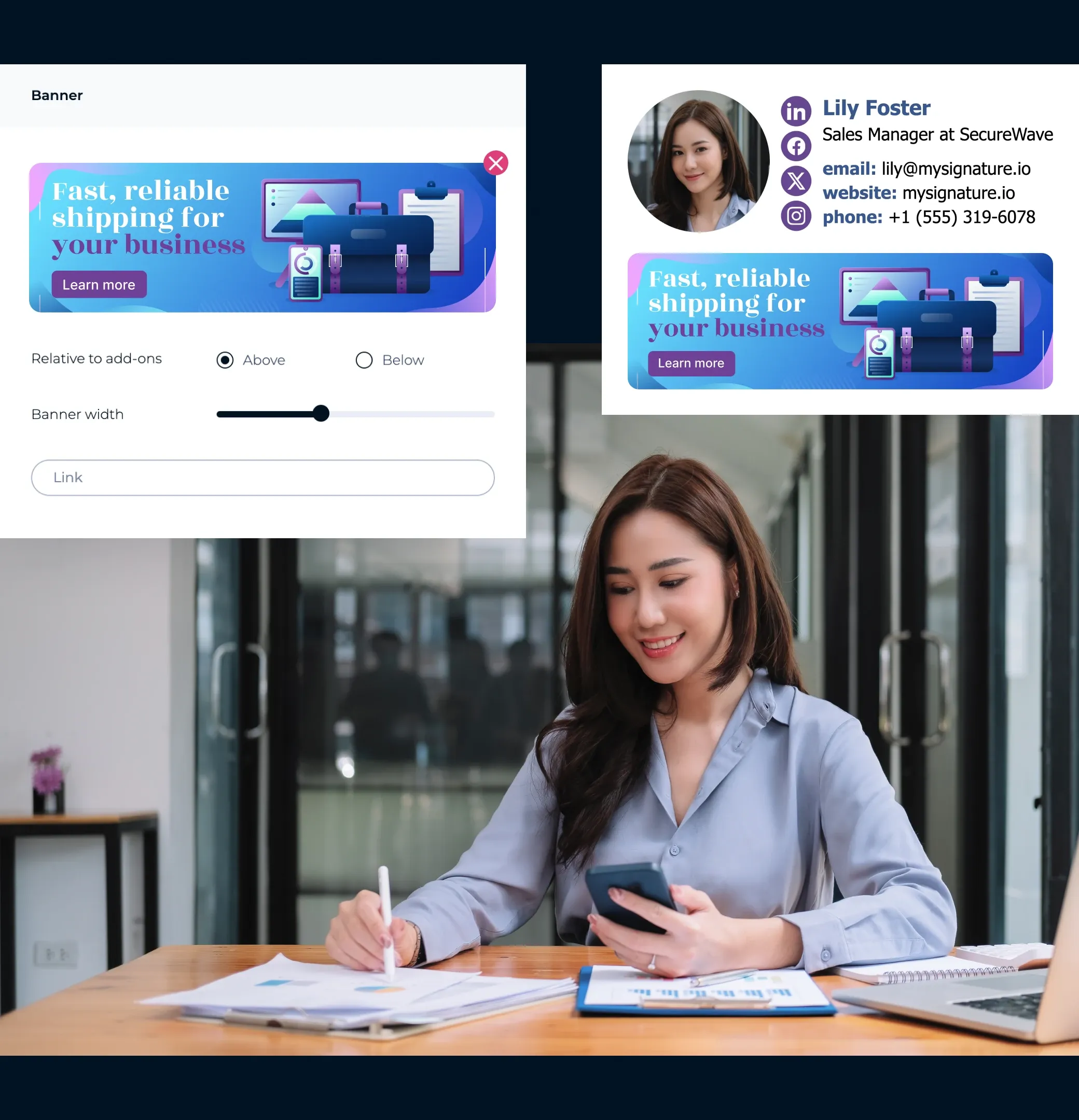
Werben Sie mit Rabatten und Sonderangeboten
Verwandeln Sie Ihre E-Mail-Signatur zu einer kleinen Werbefläche für Ihre besten Angebote. Fügen Sie ein Banner hinzu, um Ihre attraktivsten Rabatte, zeitlich begrenzten Angebote oder bevorstehenden Veranstaltungen hervorzuheben, egal, ob es eine Konferenz ist, an der Sie teilnehmen oder ein Webinar, das Sie veranstalten.
Verfolgen Sie, was funktioniert
Verwenden Sie ein Werkzeug wie MySignature, um zu sehen, wie viele Personen auf Ihre Links oder Banner klicken. So erfahren Sie, was gut funktioniert und können Ihre Signatur optimieren, um noch bessere Ergebnisse zu erzielen.

E-Mail-Signaturvorlage für Verkaufsmanager
Lassen Sie sich von diesen professionell gestalteten Beispielen inspirieren, die alle mit MySignature erstellt wurden und machen Sie E-Mail-Signaturen zu einem Bestandteil Ihrer Verkaufsstrategie.
Galerie der E-Mail-Signaturvorlagen durchstöbern


Warum Verkaufsmanager im Jahr 2026 eine E-Mail-Signatur brauchen
Telefonate vereinbaren direkt aus Ihrer E-Mail heraus
Machen Sie es Ihren Kunden leicht, mit Ihnen in Kontakt zu treten. Fügen Sie in Ihre E-Mail-Fußzeile Links zu Meetings, Kalendereinladungen oder Anrufschaltflächen ein, damit sie mit nur einem Klick einen Anruf oder ein Meeting vereinbaren können. Nutzen Sie klare CTA-Schaltflächen oder kleine Banner, um Ihre Signatur noch wirkungsvoller zu gestalten.
Sorgen Sie dafür, dass sie überall gut aussieht
Ihre Signatur sollte auf jedem Gerät und jeder E-Mail-Plattform professionell aussehen. Mit MySignature funktioniert sie einwandfrei in Gmail, Outlook, Apple Mail, HubSpot, Zoho und vielen weiteren Anwendungen, sowohl auf dem Desktop als auch auf Mobilgeräten.
Verfolgen Sie, was funktioniert
Erfahren Sie mithilfe der integrierten Analysefunktionen, wie gut Ihre Signatur funktioniert. Verfolgen Sie Banner-Klicks, Link-Klicks und Handlungsaufrufe (CTAs) in Echtzeit, damit Sie wissen, was das größte Engagement hervorruft.
Erstellen und teilen Sie Signaturen für Ihr gesamtes Team
Sorgen Sie dafür, dass die Signaturen Ihres Vertriebsteams einheitlich sind und zum Branding passen. Mit MySignature können Sie innerhalb weniger Minuten mehrere Signaturen erstellen und diese mithilfe der Integration in Google Workspace oder Microsoft 365 im gesamten Team einführen.

Roman Hotsiak
E-Mail- & SMS-Marketing
Ich habe tolle Erfahrungen damit gemacht. MySignature ist sehr einfach und stark anpassbar! Ich kann ganz einfach eine schöne professionelle Signatur für mein Team erstellen. Vielen Dank an den Support, der mir bei der Einrichtung einer geschäftlichen E-Mail-Signatur geholfen hat.

Mary McGuire
Business Consulting und Coaching
Mir gefällt die Menge an Informationen, die auf dem sonst verschwendeten Platz vermittelt werden kann. Besonders gut gefällt mir das Design und die einfache Handhabung.

KiwiOnTheSticks
Gaming Content Creator
Ich liebe MySignature! Es ist super einfach einzurichten und erlaubt sogar, Canva im Editor zu verwenden! Ich bin begeistert und empfehle es allen, die ihren E-Mails einen sauberen und professionellen Touch verleihen wollen.

João Mino
Übersetzer & Autor
Mir gefallen die gut gestalteten E-Mail-Signaturvorlagen von MySignature! Außerdem gibt mir der Gmail-Tracker die Möglichkeit, E-Mail-Aktivitäten nach dem Versand zu verfolgen. Zum Beispiel, ob der Kunde meine Rechnung erhalten hat oder nicht.


G2 Crowd


Capterra

Product Hunt


Trustpilot

Chrome Web Store
Erstellen Sie in maximal 5 Minuten die beste E-Mail-Signaturvorlage für den Vertrieb
Erstellen Sie Ihre Buchhalter-SignaturMit dem kostenlosen Signatureditor von MySignature können Sie im Handumdrehen eine professionelle E-Mail-Signatur, digitale Visitenkarten und Links-in-Bio-Seiten erstellen.
Weitere Kategorien von E-Mail-Signaturvorlagen erkunden
Möchten Sie sich weitere Vorlagen anschauen? Hier sind andere Kategorien von modernen E-Mail-Signaturvorlagen, die Sie sich ansehen können.